
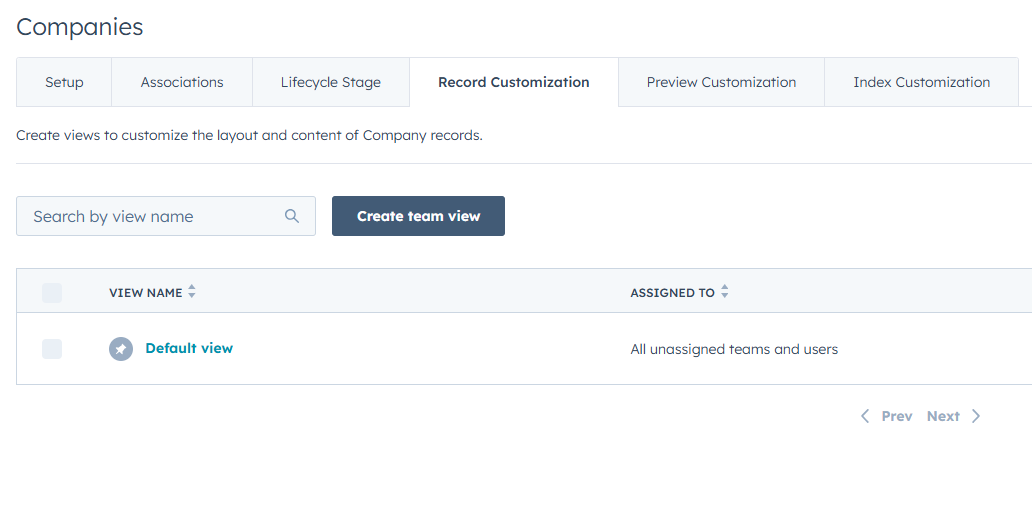
We often work with organizations where HubSpot adoption is strong, yet daily usage feels heavier than it should. Sales, marketing, and service teams all rely on the same records, but they do not need the same information at the same time. When every user sees every property and section, records become cluttered and harder to navigate. HubSpot’s record customization by team offers a practical way to address this issue. It’s available in the HubSpot Professional plans and higher.
Record customization allows you to tailor record layouts based on team membership. Different teams can see different properties, sections, and sidebars on the same contact, company, deal, or ticket record. This approach recognizes that relevance depends on role. It reduces visual noise and helps users focus on the information that supports their responsibilities.
The most effective starting point is to identify which teams work in HubSpot daily and how their needs differ. Sales teams often prioritize deal stage, next activity, and buying signals. Marketing teams focus on lifecycle stage, campaign history, and engagement metrics. Service teams need ticket history, SLA status, and recent communications. When all of this appears on a single default layout, usability suffers.
Once priorities are clear, administrators can create team specific record views. Each view should surface essential properties near the top and de emphasize or remove fields that are rarely used by that team. The goal is not to hide data permanently, but to make the primary view efficient. Users can still search or customize further if needed.
This feature also supports better data quality. When users are presented with a smaller set of relevant fields, they are more likely to complete them accurately. Required fields feel more reasonable when they align with the user’s role. Over time, this leads to more consistent data entry and fewer partially completed records. Record customization is especially helpful during onboarding. New users can learn HubSpot through a layout that reflects their job rather than the entire system. This shortens ramp time and reduces frustration. It also reinforces process expectations by showing which fields matter most for that role.
From an admin standpoint, record customization requires periodic review. As teams evolve and processes change, layouts should be adjusted to remain aligned. A simple quarterly review is usually sufficient. Avoid creating too many variations, since excessive customization can introduce maintenance complexity.
For SMBs, this feature delivers meaningful gains without significant effort. It improves usability, supports cleaner data, and helps HubSpot feel like a system designed for the business rather than a generic CRM. When records are easier to read and update, adoption improves naturally.
Summary Tip: Use team based record customization in HubSpot to show each group only the fields and sections that support their daily work.